Convert shelf inventory photos to Excel
Turn store, stockroom, and display-shelf photos into editable inventory rows, then download the reviewed data as Excel or CSV.

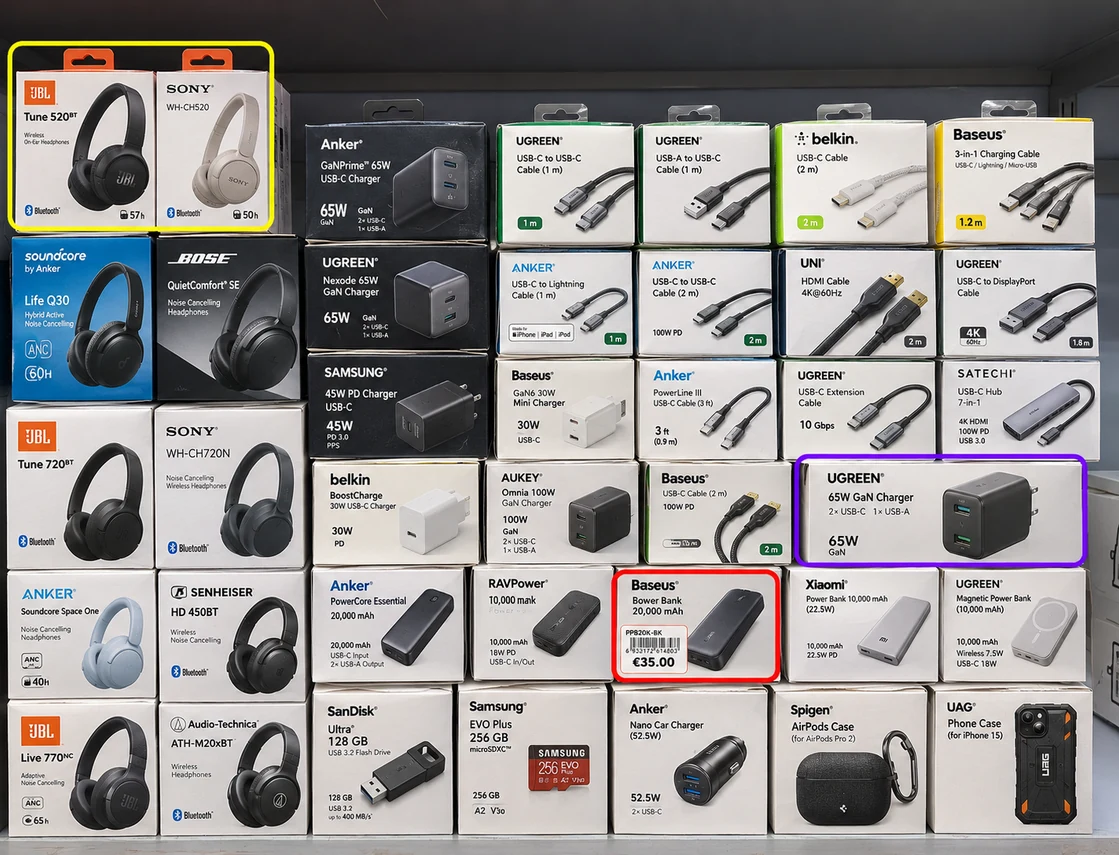
What shelf inventory can be added to Excel?
- Product name and brand
- Visible quantity or facing count
- SKU, barcode, size, and variant
- Price and promotional information
- Shelf, aisle, zone, or image reference
- Custom columns for your inventory process
Review unclear labels and counts before downloading the workbook.
How to create an Excel inventory from shelf images
- 📷Step 1
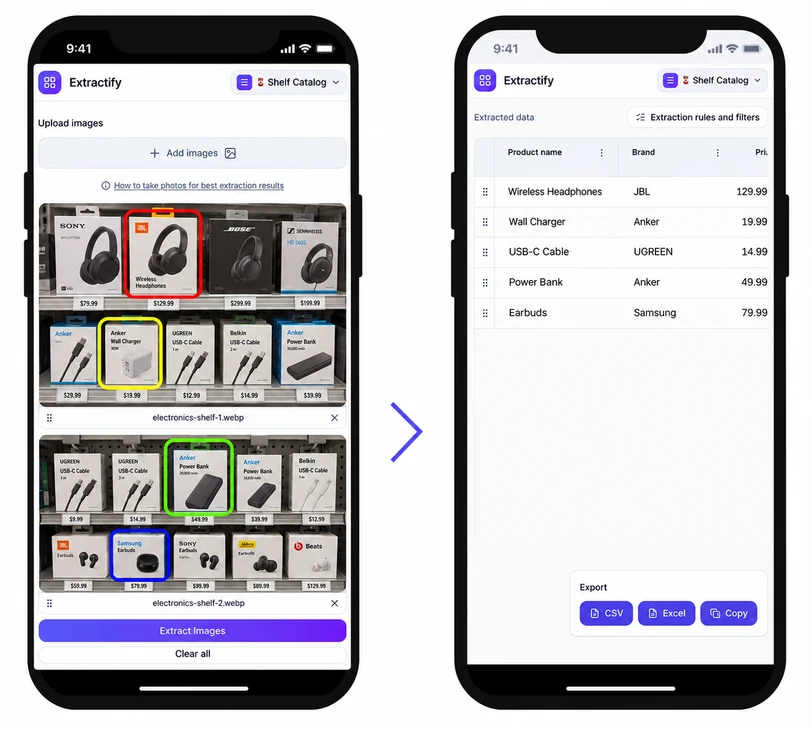
Upload shelf or stockroom photos
- 🔎Step 2
Extractify identifies visible products, labels, and counts
- ✍️Step 3
Review rows and correct quantities, SKUs, or locations
- 📊Step 4
Download the inventory as XLSX or CSV
Who converts shelf inventory to Excel?
Store managers · Inventory controllers · Retail operations teams · Merchandisers · Stock auditors
Excel is useful for stock checks, reorder reviews, location comparisons, and reconciliation, but manually typing every visible product from a shelf is slow. Photos provide a faster source record when the shelves are clearly visible.
Extractify structures the visible information into rows before export. The spreadsheet can then be filtered, compared with a master SKU list, or imported into another system. Because an image cannot show products hidden behind other items, the result should be treated as a visible-shelf count and checked against backroom or system stock when a complete inventory is required.

FAQ
Can I convert shelf photos directly to Excel?
Yes. Upload shelf photos, review the product rows detected from the visible labels and packaging, and export the result as an editable XLSX workbook or CSV file.
Can several shelf photos be combined in one spreadsheet?
Yes. Upload a batch of shelf images and keep an image, aisle, or shelf-location column so rows from different areas remain traceable after export.
Does the Excel export include quantities?
It can include visible unit counts or facing counts when products are distinguishable in the image. Hidden, stacked, or obstructed stock may require a manual correction.
Can I choose the inventory columns?
Yes. Start with suggested fields such as product, brand, quantity, price, SKU, and location, then add, rename, or remove columns before extraction or export.
Can I edit the shelf inventory before downloading Excel?
Yes. The extracted table is editable, so you can correct product names, counts, prices, variants, and shelf locations while checking the source photos.
More ways to export and review shelf data
- Prepare shelf inventory for Google Sheets
- Scan shelves for inventory
- Build a product catalog from shelf photos
- Open the shelf inventory tool
- Count pharmacy shelf inventory
- Create a convenience store inventory
- Catalog cosmetics shelf inventory
- Track electronics store inventory
- Detect out-of-stock shelf areas