Turn card photos into a collection spreadsheet
Capture names, sets, numbers, and conditions from binders or tables—edit results and export to CSV or Excel.

Tell Extractify what to extract
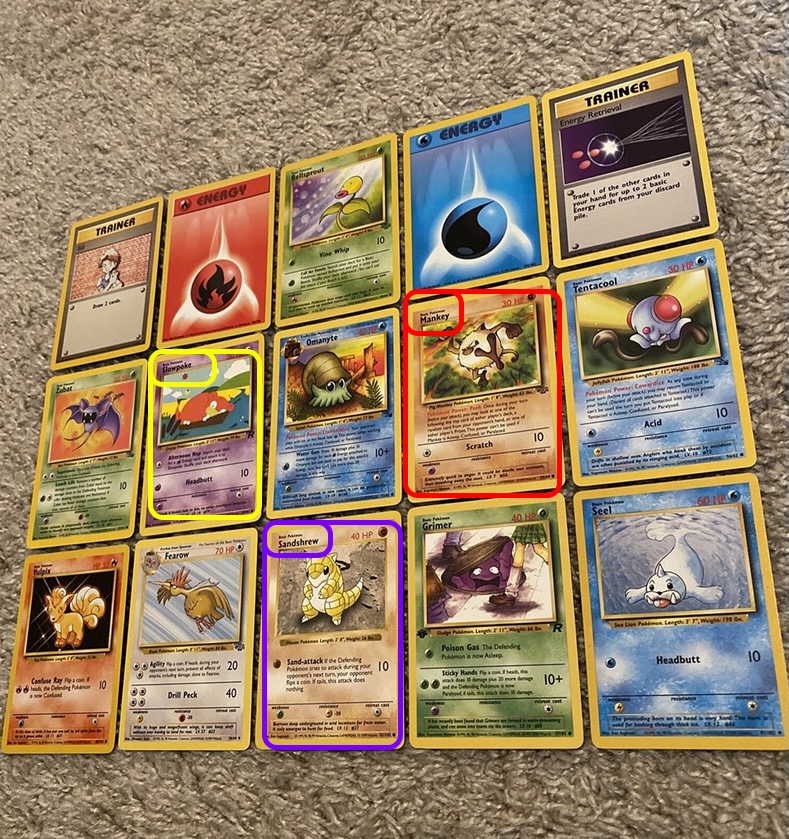
Upload a photo of your trading cards and automatically extract:
- Card name
- Set / Edition
- Year of the card
- Card number
- Type
- HP
- Any other field — just add a column with the name of your choice
Export instantly to Excel or CSV.
How to catalog a trading card collection from photos
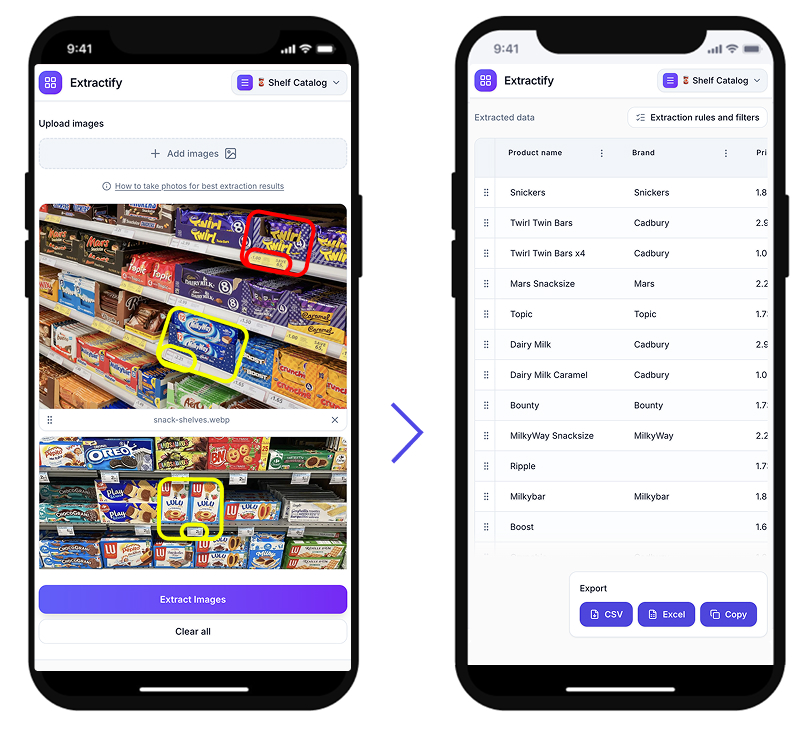
- 📷Step 1
Upload a photo of your cards, binders, or card boxes
- 🔍Step 2
Extractify reads card names, sets, and other visible details automatically
- 📊Step 3
Data is organized into a clean inventory spreadsheet
- 📥Step 4
Export to CSV, Excel, or copy directly
Who uses this tool?
Card collectors · Pokémon players · Resellers · Game store owners · Sports card investors
Trading card collectors often manage their inventories manually, looking up card names, sets, and values one by one and typing them into spreadsheets. For large collections — hundreds or thousands of cards — this process takes hours.
Extractify automates this by analyzing photos of your cards and extracting the visible information directly from each card, turning a time-consuming cataloging task into a matter of seconds.

FAQ
How to catalog a large Pokémon card collection?
The most practical way to catalog a large Pokémon card collection is to photograph your cards and use Extractify to extract the card names, sets, and numbers automatically.
Instead of typing each card into a spreadsheet manually, you upload the photos and get a ready-to-use inventory table — significantly faster for collections of hundreds or thousands of cards.
What is the easiest way to inventory trading cards?
The easiest way to inventory trading cards is to take photos of them and use Extractify to convert the visible information into a structured list. This eliminates the need to manually enter each card name, set, and condition.
The resulting spreadsheet can be used for tracking, selling, or insuring your collection.
How to make a spreadsheet of your card collection?
You can create a spreadsheet of your card collection by uploading photos to an image recognition tool. The software reads the card names, editions, and other visible details and exports them into a structured table compatible with Excel, CSV, or Google Sheets.
This works for Pokémon, Magic: The Gathering, sports cards, and most other trading card games where card text is clearly visible in the photo.
How do I know what cards I have in my collection?
If you have a large or disorganized collection, the quickest way to find out what cards you own is to photograph them in batches and use an extraction tool to generate an inventory list automatically.
Once you have a structured list, you can sort and filter by card name, set, or condition to get a clear picture of your collection.
How to value a trading card collection?
To value a trading card collection, you first need an accurate inventory of what you own. The fastest way to create that inventory is to photograph your cards and use image recognition software to extract the data automatically.
Once you have a structured list with card names, sets, and card numbers, you can cross-reference prices on marketplaces like TCGplayer, eBay, or Cardmarket to estimate the total value of your collection.
Best way to organize trading cards for resale?
For resale, you need a clear inventory that includes card names, conditions, editions, and quantities. The most efficient approach is to photograph your cards in batches and use Extractify to generate a structured spreadsheet.
This makes it easy to list cards on platforms like eBay, TCGplayer, or Facebook Marketplace without having to manually enter details for each card.