Track share of shelf using store photos
Upload retail shelf photos, detect product blocks by brand, and instantly calculate facing share and area share. Export CSV reports for store audits and field teams.

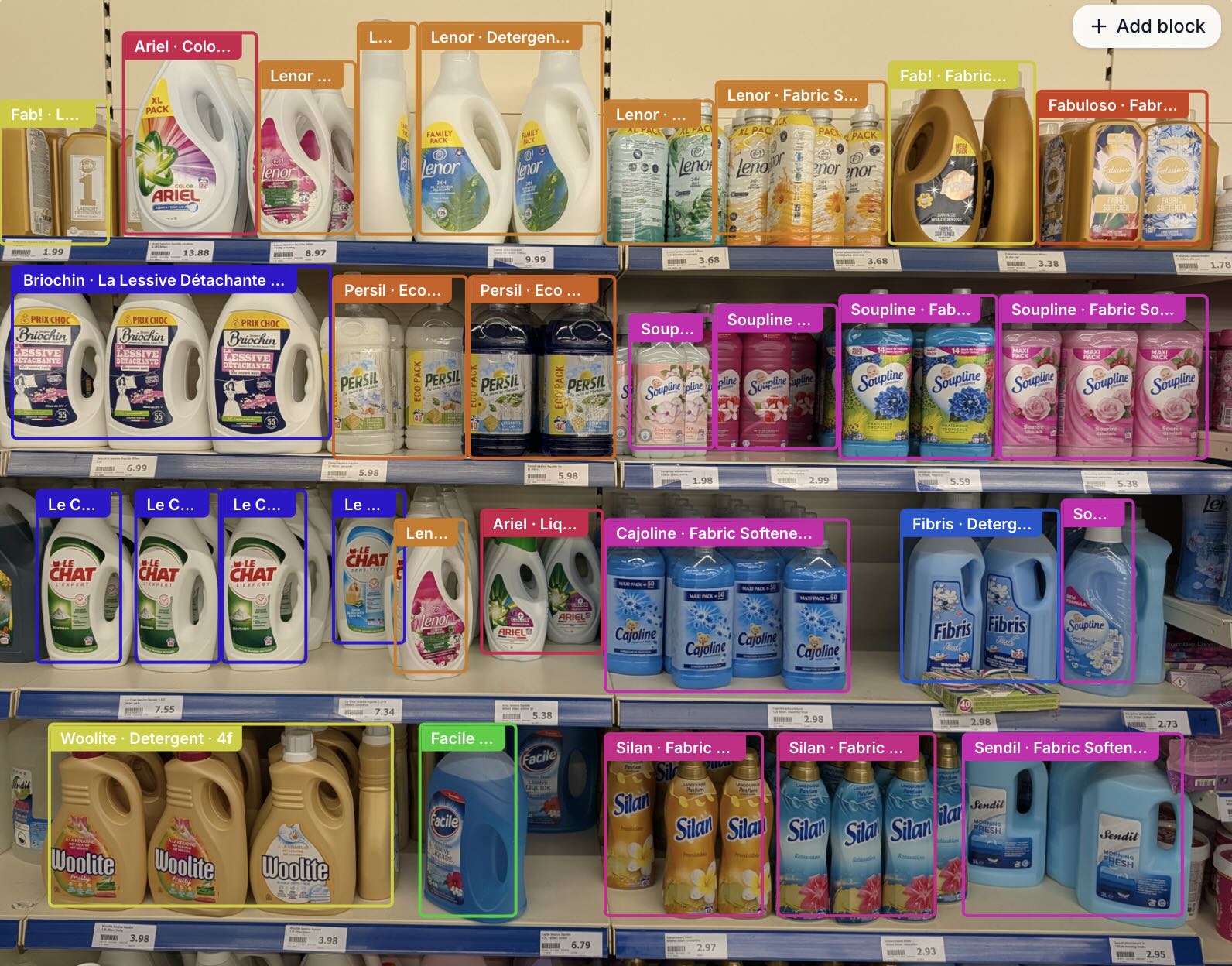
Upload a retail shelf or store photo and automatically detect:
- Brand name
- SKU / Product name
- Number of facings
- Facing share (%)
- Area share (%)
- Confidence score
Edit blocks directly on the image and export to CSV.
How to track share of shelf from store photos
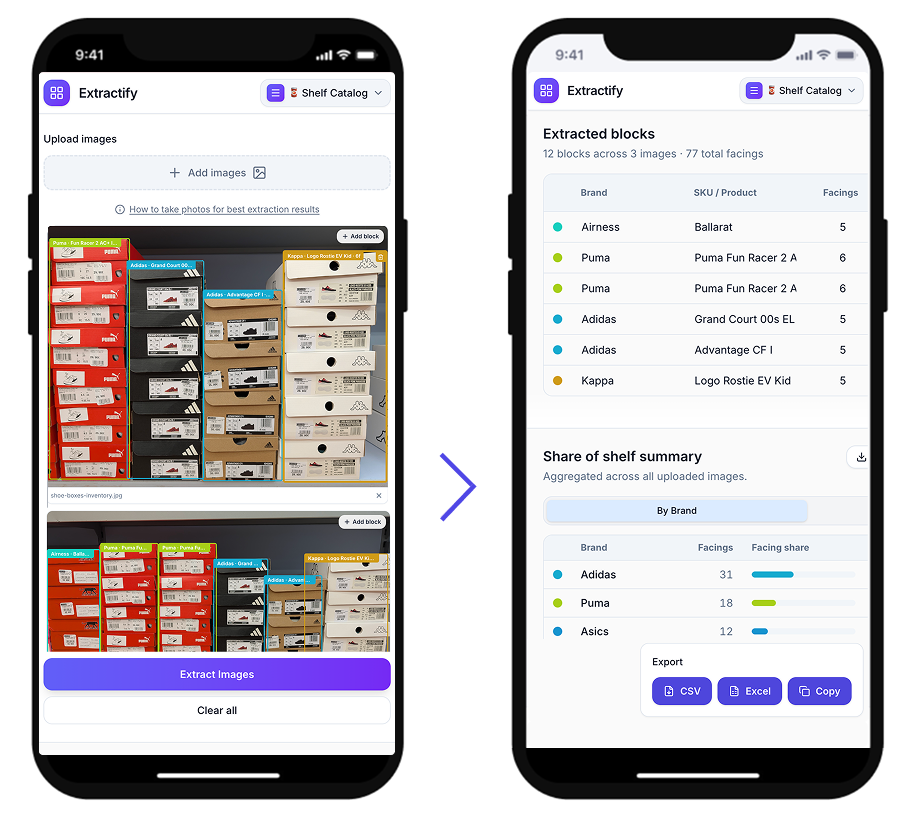
- 📷Step 1
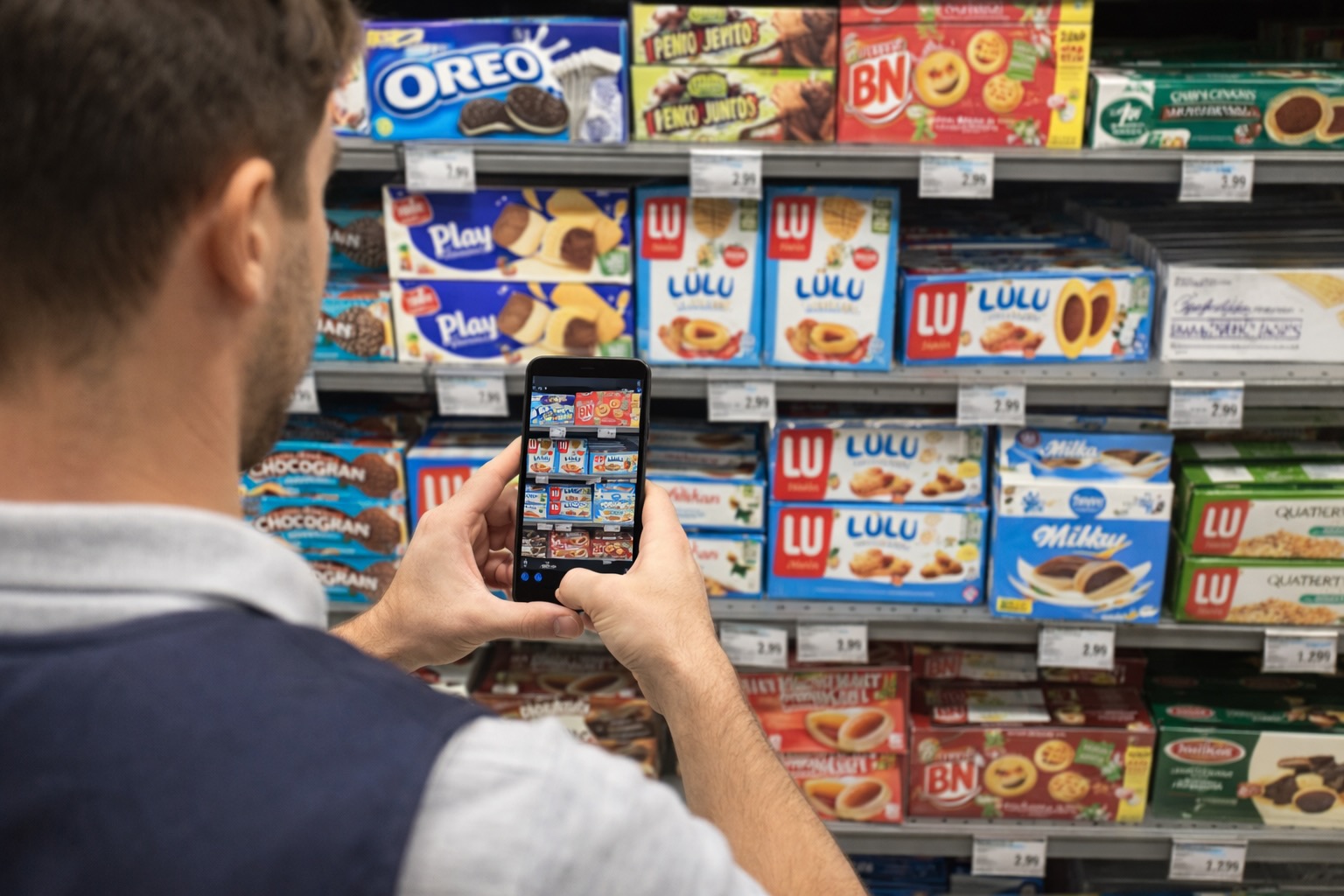
Upload one or several store shelf photos
- 🔍Step 2
AI detects product blocks and assigns brands, SKUs, and facing counts
- 🖊️Step 3
Review, drag, resize, add, or delete blocks directly on the image
- 📥Step 4
Export block-level or aggregated summary to CSV
Who uses this tool?
Category managers · Brand auditors · Retail analysts · Field merchandisers · Trade marketing teams
Measuring share of shelf traditionally requires manual counting on-site — a slow, error-prone process that is hard to scale across stores.
Extractify is a tool to track share of shelf using store photos. It analyzes shelf images, detects product blocks, and calculates facing and area shares in seconds. Teams can verify and adjust results directly on the image before exporting structured CSV reports.
FAQ
What is the best tool to track share of shelf using store photos?
Extractify is built for tracking share of shelf from store photos. Upload shelf images from a retail audit or field visit, and the tool detects product blocks, estimates facings, calculates brand-level shelf share, and exports the results to CSV.
This is useful for brands, category managers, and field teams who need repeatable shelf share reporting without manually counting every facing in the store.
What is share of shelf and how is it measured?
Share of shelf refers to the proportion of shelf space occupied by a brand or product relative to all products on the same shelf. It is typically measured as a percentage of total facings (visible product units) or total shelf area.
Extractify automates this measurement by analyzing shelf photos, detecting product blocks, and calculating both facing share and area share for each brand.
How to measure share of shelf?
To measure share of shelf, count how many visible facings or how much shelf area each brand occupies, then compare that number with the total facings or total detected shelf area in the category.
With Extractify, you can upload store shelf photos, let the tool detect product blocks by brand and SKU, review the blocks on the image, and export the share of shelf results to CSV.
How to calculate share of shelf?
Facing share is calculated as: brand facings divided by total shelf facings, multiplied by 100. For example, if a brand has 12 facings out of 60 total facings, its facing share is 20%.
Area share uses the same idea with shelf space: brand shelf area divided by total detected shelf area, multiplied by 100. Extractify calculates both metrics from uploaded shelf photos.
Can AI measure share of shelf from photos?
Yes. Extractify uses vision AI to analyze retail shelf photos and detect product blocks by brand. It estimates the number of facings per block and the proportion of shelf area occupied, then aggregates the results by brand and SKU.
The system works on standard smartphone or store-camera photos without any special equipment.
What is the difference between facing share and area share?
Facing share is calculated from the number of visible product units (facings) belonging to a brand divided by the total facings on the shelf.
Area share is calculated from the bounding box area of each product block divided by the total detected shelf area. Area share better captures brands that use large packaging, while facing share reflects the count of individual product units.