Turn shoe box photos into inventory tables
Extract brands, models, and sizes from shoe box photos in shelves or stockrooms, then review and export the data to CSV or Excel.

Tell Extractify what to extract
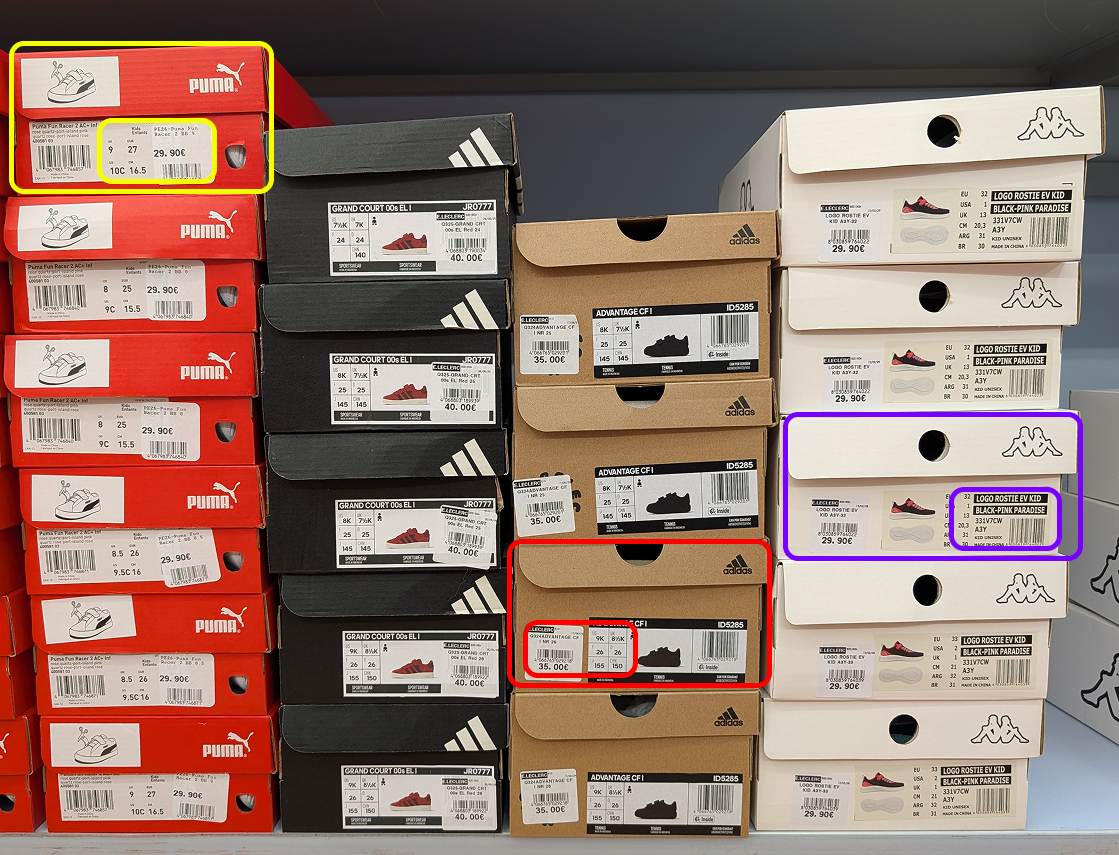
Upload a photo of stacked shoe boxes and automatically extract:
- Brand
- Model
- Size
- SKU
- Price
- Quantity
- Any other field: just add a column with the name of your choice
Export instantly to Excel or CSV.
How to extract inventory from images
- 📷Step 1
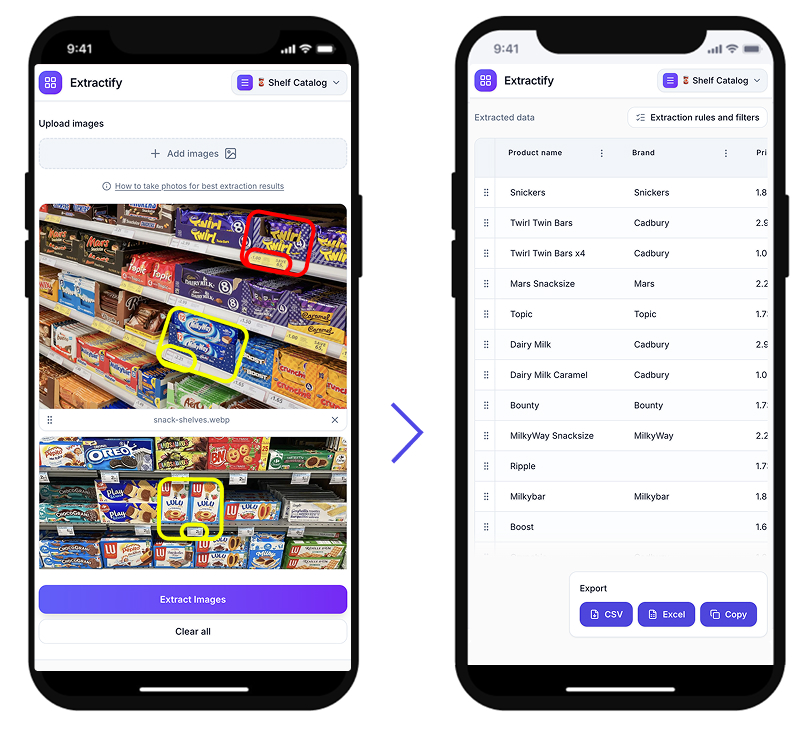
Upload a photo of your shelf or boxes
- 🔍Step 2
Extractify detects product labels automatically
- 📊Step 3
Data is converted into a structured spreadsheet
- 📥Step 4
Export to CSV, Excel, or copy directly
Who uses this tool?
Retail stores · Sneaker shops · Warehouse managers · Resellers · Stock auditors
Many retail stores track their inventory manually by checking shoe box labels and entering product information into spreadsheets.
Extractify automates this process. Instead of manually typing brand, model, and size from each box, you can simply upload a photo of the shelf and the software converts it into structured data.
FAQ
Can AI read shoe box labels?
Yes. Extractify uses image recognition and text extraction technology to detect and read information directly from shoe box labels. The system can automatically identify brand names, model names, sizes, product codes, and other visible text on the label.
Instead of manually typing product information from each box into a spreadsheet, you can simply upload a photo and the software converts the visible label data into structured inventory data.
Can I extract inventory from multiple photos?
Yes. You can upload multiple images at once and Extractify will automatically combine the extracted data into a single structured table.
This is useful when scanning entire shelves, stock rooms, or warehouse racks where inventory is spread across several photos.
How can I convert a photo of shoe boxes into a spreadsheet?
You can convert a photo of shoe boxes into a spreadsheet using Extractify. Simply upload a photo of shelves or stacked boxes and the system automatically detects text on the labels such as brand, model, and size.
The extracted information is then organized into a structured table that can be exported to Excel, CSV, or Google Sheets.
Can I create an inventory list from a photo of shelves?
Yes. Modern image recognition tools can analyze photos of shelves and extract product information directly from visible labels. This allows you to generate inventory lists from shelf photos without manually counting or typing product details.
The extracted data can then be exported to spreadsheet software for inventory tracking.
What is the easiest way to digitize shoe inventory?
The easiest way to digitize shoe inventory is to take photos of your shelves or stockroom and use Extractify to convert the labels into structured data.
Instead of typing brand names, sizes, and product codes manually, the system reads the information directly from the image and generates a spreadsheet.
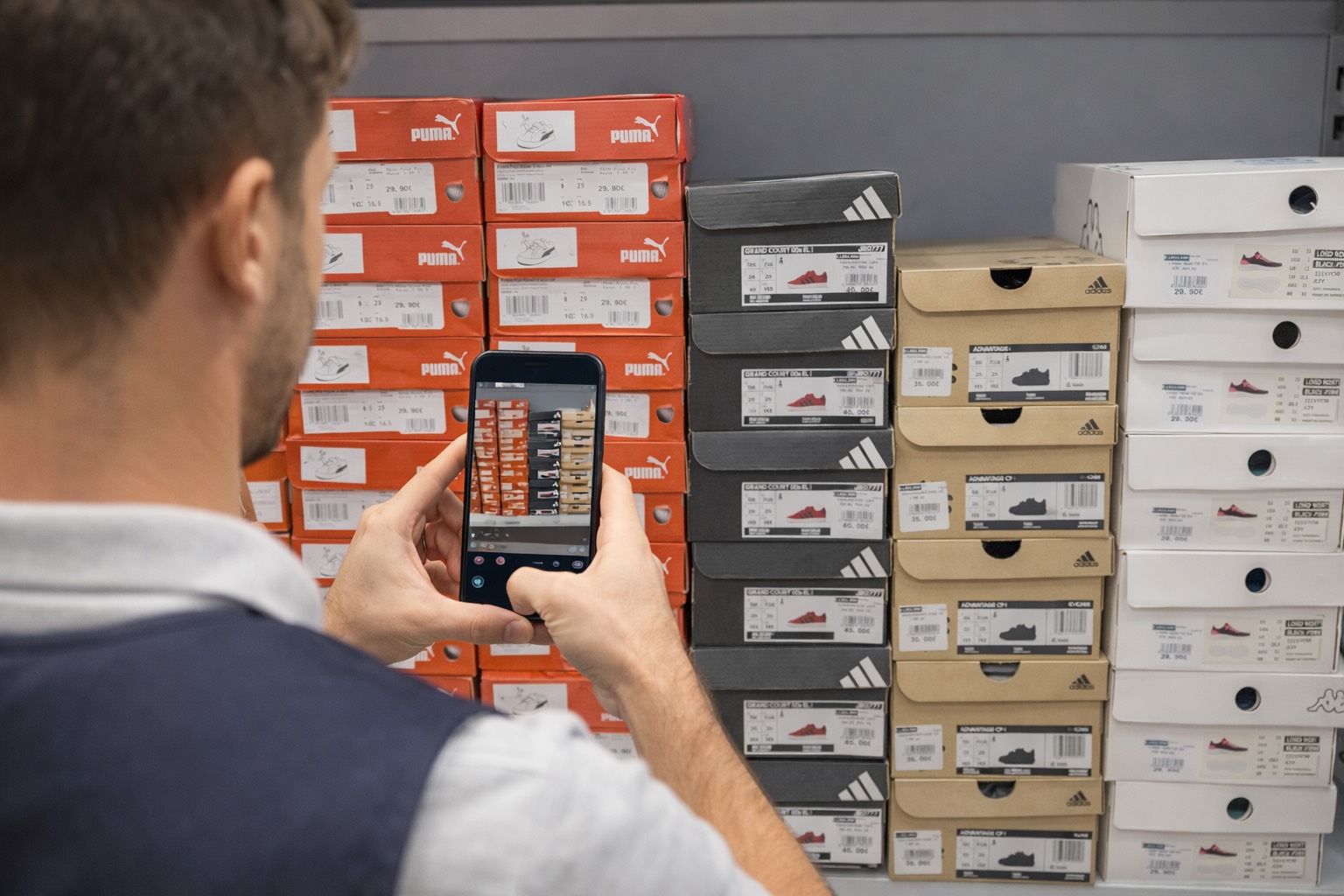
What is the best way to scan inventory using a phone?
The simplest method is to take photos of shelves or product boxes using a smartphone and upload them to an inventory extraction tool like Extractify. The software analyzes the image and converts visible product information into structured inventory data that can be exported to spreadsheets.