Extract Credit Card Statements to Excel or CSV
Convert credit card statement PDFs and images into structured transactions, balances, fees and payment details.

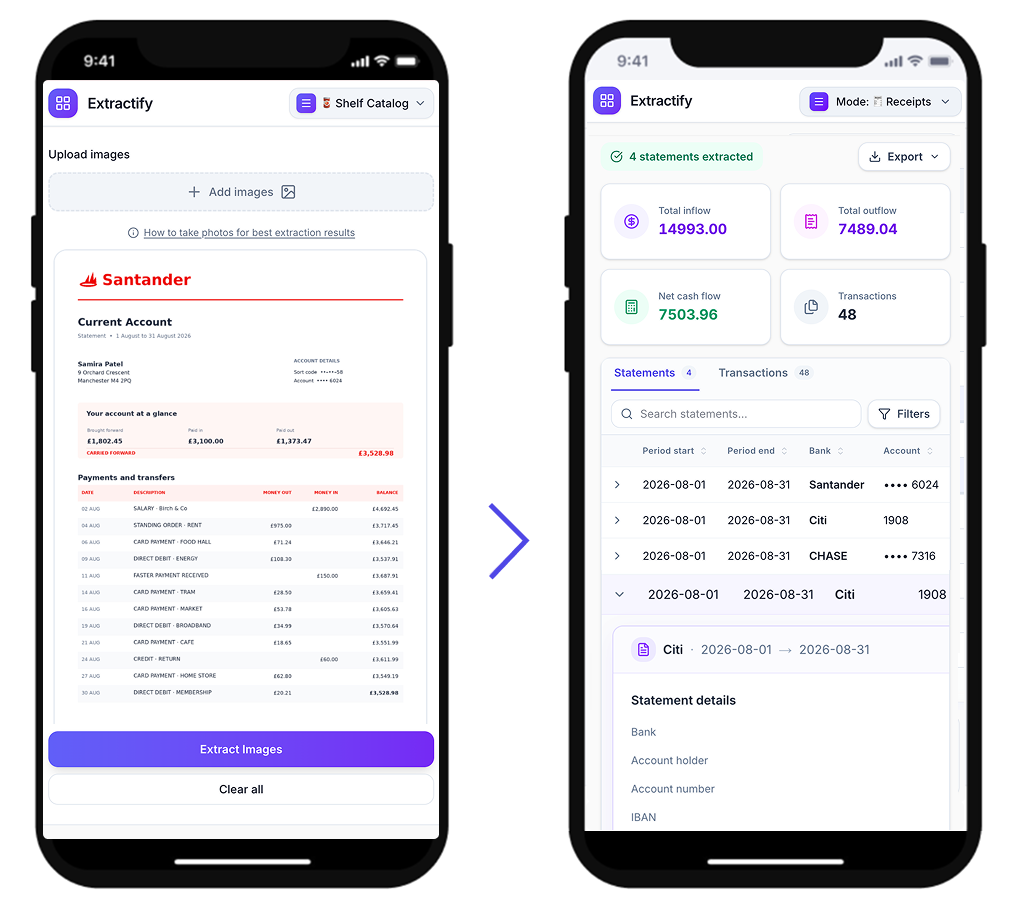
Upload statement files and automatically extract:
- Issuer, statement period, statement date, and payment due date
- Masked card details (last four digits only)
- Previous balance, purchases, payments and credits
- Fees and interest, statement balance, and payment totals
- Transaction rows with date, merchant, category, and amounts
Review statement and transaction data, then export to CSV or Excel.

How to extract credit card statement data
- 💳Step 1
Upload one or more credit card statement images or PDFs
- 🔎Step 2
Extractify detects statement totals and transaction rows automatically
- ✍️Step 3
Review and edit statement fields and transactions when needed
- 📥Step 4
Export statements and transactions to CSV or Excel
Who uses credit card statement extraction?
Accounting and finance teams · Bookkeeping and reconciliation teams · Expense and procurement teams · Small business owners · Independent professionals
Credit card data is often trapped in PDF statements with inconsistent layouts.
Extractify converts those files into structured statement summaries and transaction rows so teams can reconcile spend, review fees, and export clean datasets faster.

FAQ
What data can Extractify extract from credit card statements?
Extractify can capture issuer and card identifiers, statement period, payment due date, statement-level totals (purchases, payments, fees, interest, balances), and transaction rows including date, merchant, category, and amounts when visible.
Does Extractify support multi-page credit card statements?
Yes. Multiple pages from the same statement can be processed together and consolidated as one statement with its full transaction list.
Can I process multiple credit card statements at once?
Yes. You can upload several statements in one batch and review all extracted statements and transactions in the same workspace.
How does Extractify protect card number privacy?
Extractify stores and exports masked card values (for example •••• 1234). Full card numbers are not displayed in statement tables or exports.
Can I review and edit extracted values before export?
Yes. You can edit both statement-level fields and transaction-level fields before exporting the final data.
How can I export the extracted data?
You can export a Statements CSV with one row per statement and a Transactions CSV with one row per transaction.
What happens when information is missing?
Missing fields remain empty instead of being invented. Extractify only returns extracted values and safe calculations.