Detect out-of-stock products from shelf photos
Upload shelf pictures and turn visible empty shelf spaces, low-stock zones, and missing product areas into a structured audit report.
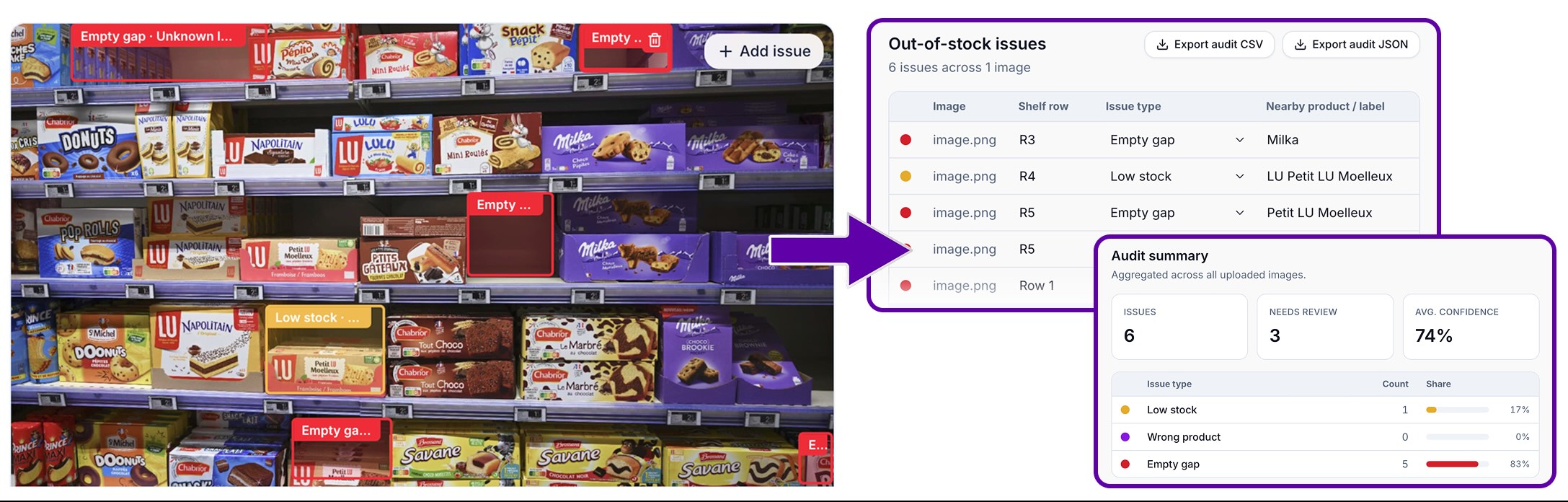
Upload a retail shelf photo and automatically flag:
- Out of stock / missing products
- Low stock
- Label/product mismatch
- Empty shelf gaps
- Suggested action
Review the boxes, edit the audit rows, and export to CSV.
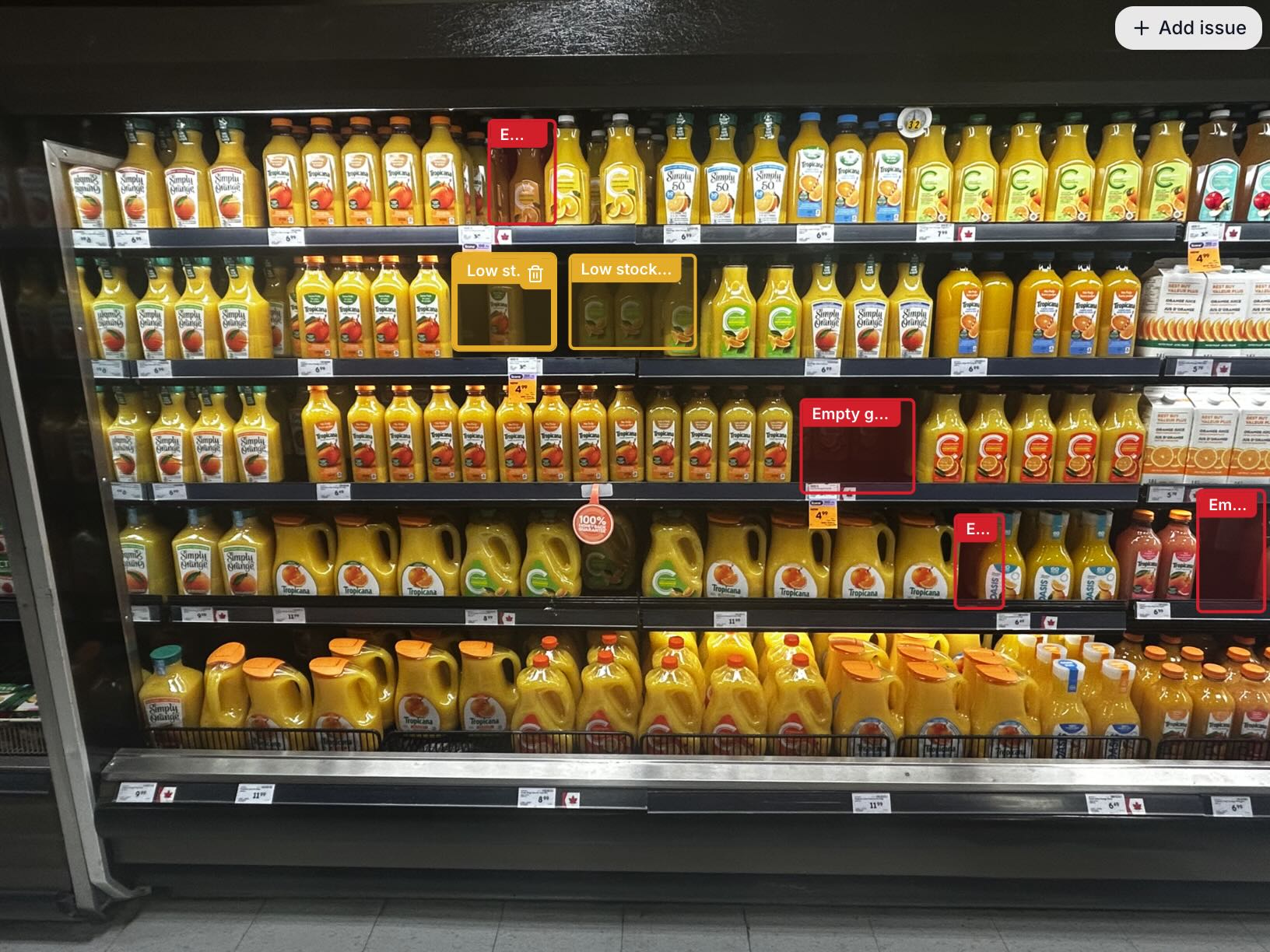
How out-of-stock detection works
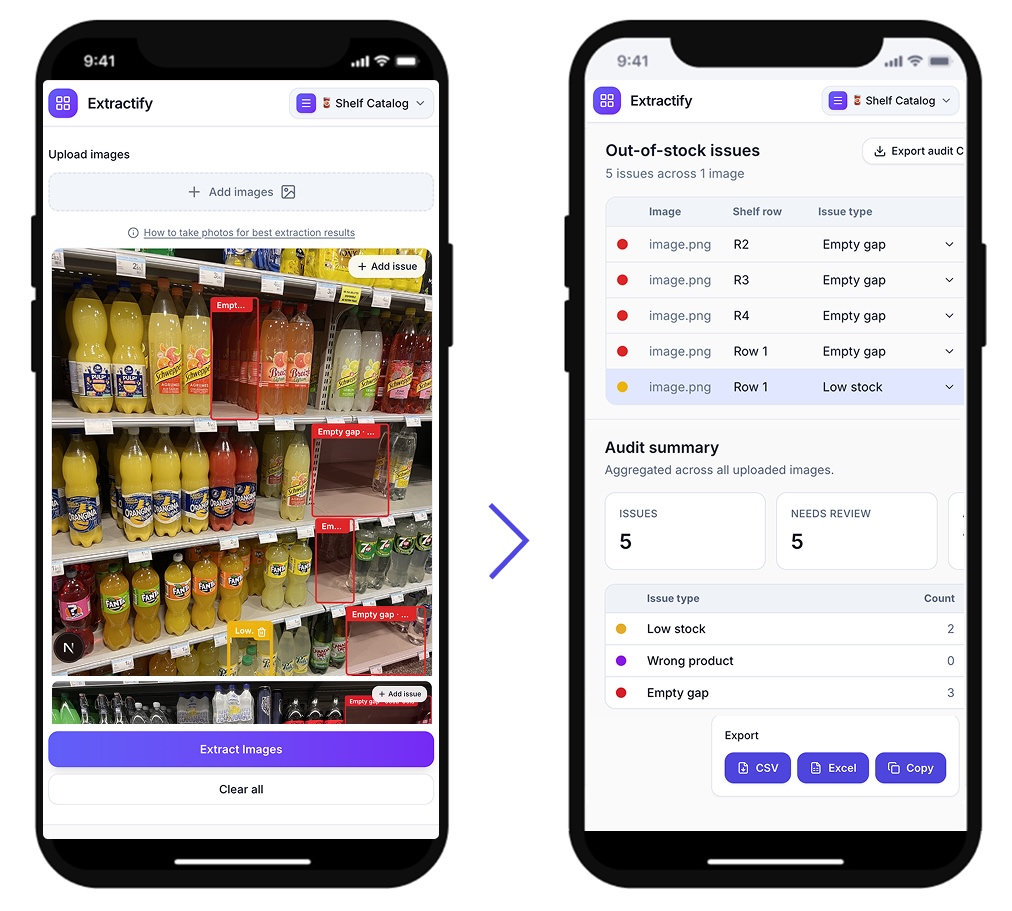
- 📷Step 1
Upload one or several shelf photos from a store visit
- 🔍Step 2
AI detects likely gaps, low-stock areas, missing facings, and empty price labels
- 🖊️Step 3
Review, edit, drag, resize, add, or remove issue boxes on the image
- 📥Step 4
Export a structured shelf audit report to CSV
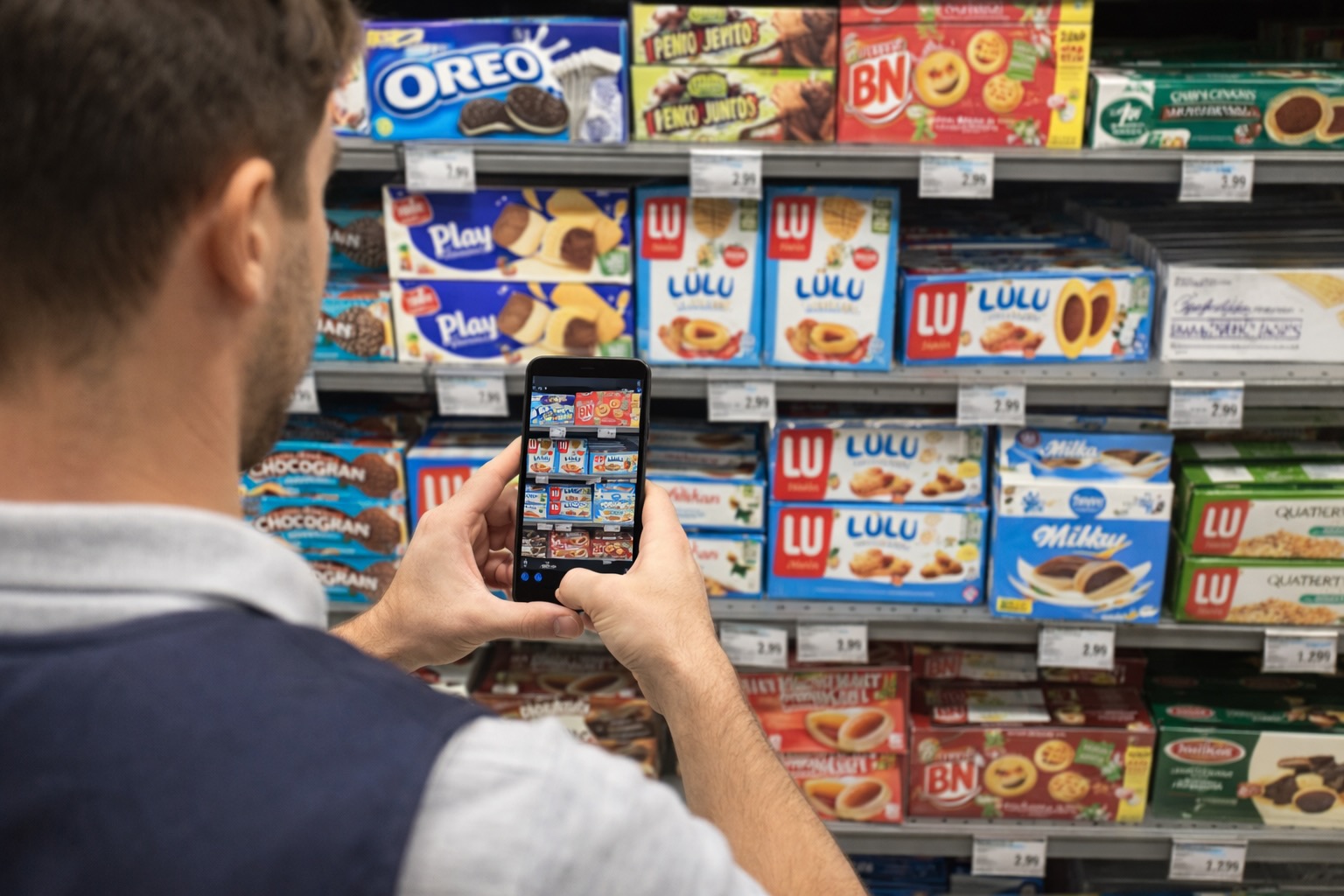
Who uses this tool?
Field merchandisers · Retail auditors · CPG teams · Store operations teams · Category managers
Out-of-stock checks are often done manually during store visits, with teams taking notes about gaps, missing facings, and low-stock areas.
Extractify turns shelf photos into structured audit rows. Teams can flag likely out-of-stock issues, verify uncertain detections, and export a report for store teams, suppliers, or merchandising follow-up.
FAQ
What is out-of-stock detection from shelf photos?
Out-of-stock detection from shelf photos is the process of analyzing retail shelf images to find likely empty shelf spaces, low-stock product areas, missing facings, and price labels with no product above them.
Extractify turns shelf photos into a structured audit table, so field teams, CPG brands, distributors, and merchandisers can review shelf availability without manually filling spreadsheets.
Can AI detect out-of-stock products from a shelf photo?
Yes. AI can detect likely out-of-stock areas when the shelf photo shows visible gaps, empty spaces, missing product facings, shelf labels, or surrounding products.
Extractify does not need a complex store setup for basic shelf gap detection. Upload a shelf image, and the tool identifies possible out-of-stock zones with confidence scores and editable review fields.
What does the out-of-stock detection report include?
The report can include the image name, shelf row, shelf position, issue type, nearby product or shelf label, detection reason, confidence score, suggested action, and review status.
This makes it easier to create retail shelf audit reports, merchandising reports, store visit reports, and CPG field audit summaries from ordinary shelf pictures.
Can Extractify identify the exact missing SKU?
Exact SKU identification depends on image quality and visible information. If the product packaging, shelf label, price tag, or barcode text is readable, Extractify may be able to extract nearby product names or labels.
If the missing product is not visible and no shelf label can be read, the tool should mark the result as a likely empty shelf space or missing facing rather than claiming exact SKU recognition.
How accurate is AI shelf gap detection?
Accuracy depends on the quality of the shelf photo, camera angle, lighting, shelf organization, product visibility, and whether price labels are readable.
For this reason, Extractify includes confidence scores and editable fields. Users can review, correct, delete, or confirm each detected out-of-stock issue before exporting the final report.
How does out-of-stock detection help CPG brands and merchandising teams?
CPG brands and merchandising teams can use shelf photo analysis to detect empty shelf spaces, low-stock areas, missing facings, incorrect product placement, and potential on-shelf availability issues.
Instead of reviewing every shelf photo manually, teams can generate a structured table that highlights the most important shelf problems to check.