Scan shelves for inventory with your phone
Photograph store shelves or stock areas and turn the visible products into an editable inventory table without dedicated scanning hardware.

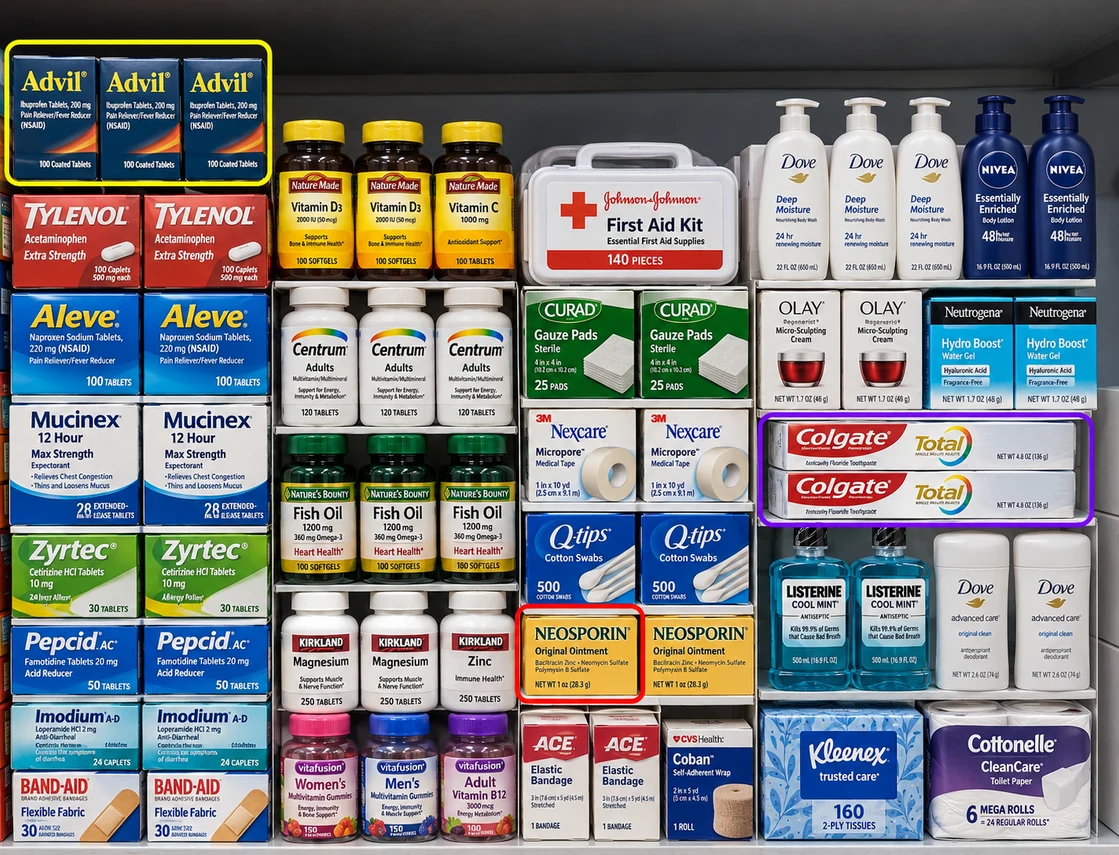
A shelf scan can capture visible:
- Product names and brands
- Units, stacks, or shelf facings
- Price labels and promotions
- SKU, barcode, size, and variant text
- Aisle, bay, shelf, or photo reference
- Custom audit and stock-status fields
Clear, front-facing photos produce the most reviewable results.
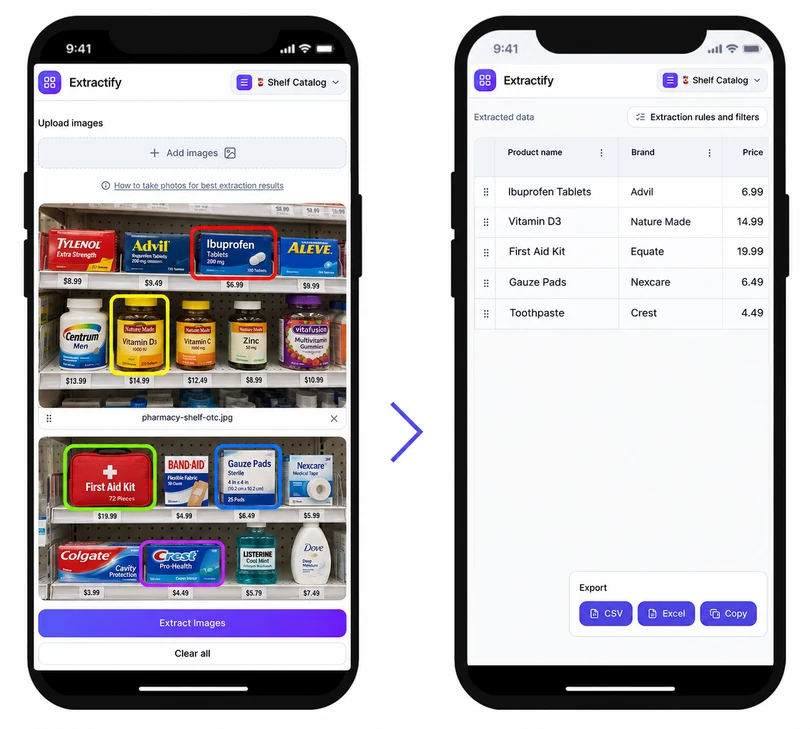
How to scan retail shelves for inventory
- 📱Step 1
Take overlapping photos with labels and shelf edges in focus
- 📦Step 2
Upload the images and define the inventory fields you need
- 🔍Step 3
Review detected products, facings, and locations
- 📥Step 4
Export the shelf scan to Excel or CSV
When is photo-based shelf scanning useful?
Cycle-count teams · Retail store staff · Field sales representatives · Merchandising agencies · Inventory auditors
A phone-based scan is useful when a team needs a quick visible-shelf record without installing cameras or carrying specialist barcode hardware. It can support a cycle count, display check, assortment review, or before-and-after store visit.
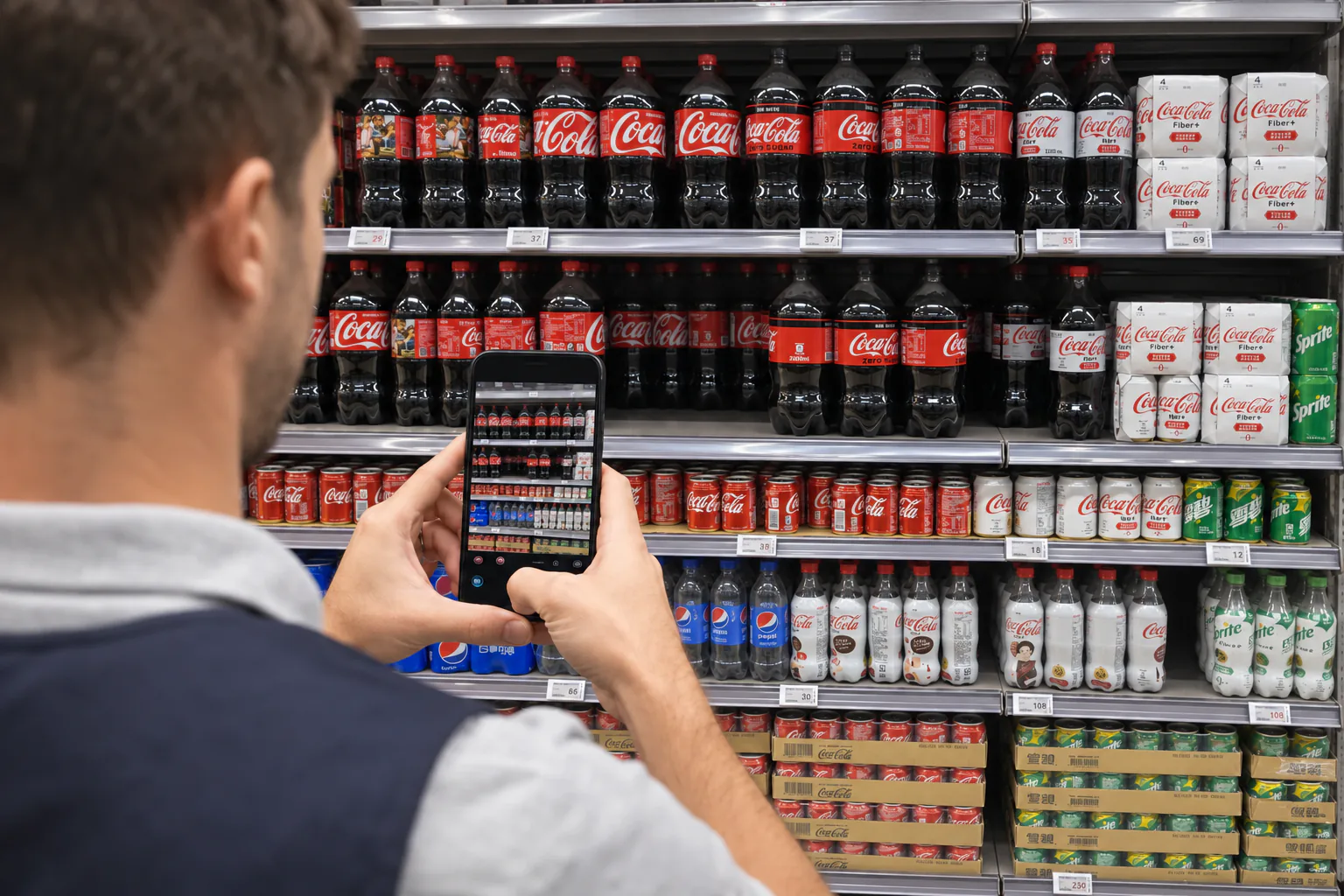
The quality of the source images matters. Capture each bay straight on, include enough overlap to avoid gaps, and keep labels readable. Review duplicate products where images overlap, and remember that a photo cannot confirm hidden depth or stock stored elsewhere.
FAQ
Do I need a barcode scanner to scan shelf inventory?
No. You can use ordinary phone or camera photos. Visible product labels, packaging, price tags, and barcodes can be organized into inventory fields for review.
How should I photograph a long retail aisle?
Take straight-on images in sections with a small overlap between photos. Keep the shelf edges visible and avoid glare, motion blur, and steep angles.
Can the scanner count shelf facings?
It can extract visible facing or unit counts when the products are distinct. Review tightly packed, partially hidden, or repeated products before using the count.
Can I scan more than one shelf photo at once?
Yes. Batch upload related shelf photos and retain the file or location reference in the output so the rows can be checked against the right image.
Is a photo shelf scan a full physical inventory?
It is a record of what is visible. A full physical inventory may also require checking stock depth, drawers, locked cabinets, storage areas, and system records.
Other photo-based retail scanning tools
- Convert shelf inventory to Excel
- Detect out-of-stock shelf areas
- Prepare shelf inventory for Google Sheets
- Open the shelf inventory tool
- Count pharmacy shelf inventory
- Create a convenience store inventory
- Catalog cosmetics shelf inventory
- Track electronics store inventory
- Build a product catalog from shelf photos