Turn client invoices into bookkeeping-ready tables
Extract supplier details, invoice references, dates, item rows, VAT or tax, and totals from mixed client documents before preparing reconciliations and ledger imports.

Extract the invoice details you need:
- Supplier and customer details
- Invoice numbers and dates
- Products or services
- Quantities, prices, and taxes
- Totals and amounts due
Review the results before using them.

A practical invoice workflow for bookkeepers
- 🗂️Step 1
Group the client invoices for the period or task
- 🧾Step 2
Extract document summaries and line items into consistent tables
- 🔍Step 3
Check supplier identity, dates, tax, currency, and control totals
- 📊Step 4
Export Excel or CSV for reconciliation and import preparation
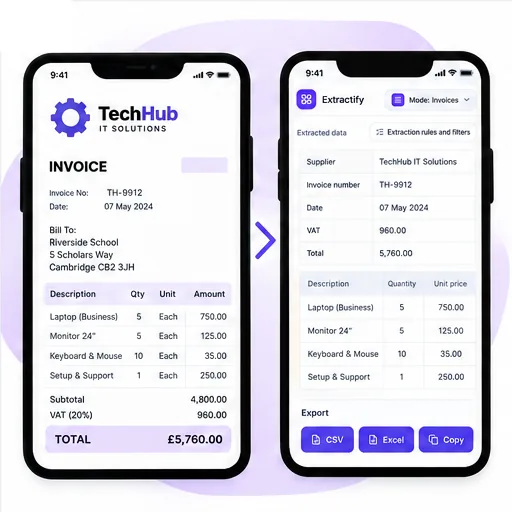
Designed for real bookkeeping document work
Independent bookkeepers · Accounting firms · Virtual bookkeeping teams · Client finance administrators · Month-end and year-end preparation teams
Clients send invoices in many forms: clean PDFs, forwarded screenshots, phone photos, scans containing several pages, and documents with inconsistent filenames. Organizing that material into a working paper can consume time before reconciliation or coding has even begun.
Extractify converts the visible content into document and line-item tables that can be sorted, filtered, and checked. It can reduce transcription during catch-up work, monthly processing, supplier analysis, or audit preparation. Bookkeepers should retain the source documents and verify tax points, VAT or sales-tax treatment, credits, foreign exchange, partial payments, and unusual entries according to the client's records and the applicable rules.

FAQ
How does invoice extraction help bookkeepers?
It turns invoice PDFs and images into editable data, reducing the time spent copying invoice details by hand.
What invoice details can be extracted?
You can extract supplier names, invoice numbers, dates, products or services, quantities, prices, taxes, and totals when they appear on the invoice.
Can I upload invoices from several clients?
Yes. You can process invoices in batches. Keep each client's files in a separate batch to make review and export easier.
Can I extract data from PDF invoices and photos?
Yes. Upload PDF invoices, scans, screenshots, or clear phone photos.
Can I review and correct the extracted data?
Yes. Check every field and edit any value before downloading the results.
Can I export invoice data to Excel or CSV?
Yes. Download the reviewed data as an Excel or CSV file for your bookkeeping workflow.
Does invoice extraction replace bookkeeping software?
No. It helps you capture invoice data faster. You should still review, categorize, and post each invoice in your accounting system.