Combine bank statements into one Excel file
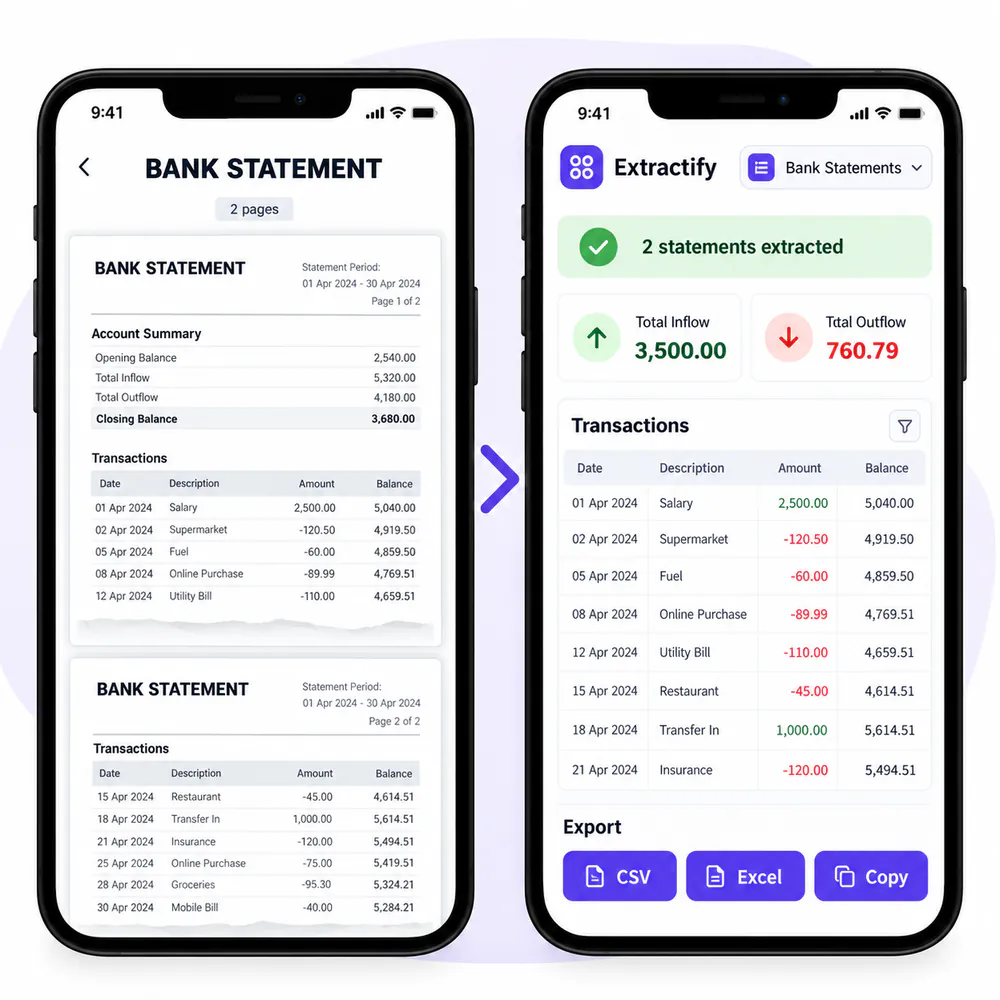
Upload several statements and consolidate their transactions and balances in one workbook.

What is combined in the workbook?
- One summary row per statement
- Transactions from every statement
- Bank and account details
- Opening and closing balances
- Consistent columns across files
Review the batch, then download one Excel workbook.

How to combine bank statements
- 📚Step 1
Upload statements from the accounts or periods you need
- 🔎Step 2
Extractify reads each statement and its transactions
- ✅Step 3
Review the combined data and correct unclear values
- 📊Step 4
Download one workbook with Statements and Transactions sheets
Why combine bank statements?
Businesses with several accounts · Bookkeepers managing client statements · Accountants preparing period reviews · Finance teams consolidating cash activity · Owners organizing historical records
Reviewing several bank statements is difficult when every file has a different layout or covers a different period. A combined workbook makes it easier to filter transactions by account, compare balances, and prepare a complete record.
Each statement remains a separate summary row while its transactions are added to a consistent transaction table. Keep the original statements and check for overlapping date ranges before using the consolidated data.

FAQ
Can I combine several bank statements in one Excel file?
Yes. Upload multiple statements in one batch and download one workbook containing all statement summaries and transaction rows.
Can the statements come from different banks?
Yes. The extracted output uses consistent columns while retaining the bank and account information shown on each statement.
Can I combine different statement periods?
Yes. Each statement keeps its own start date, end date, and balances. Check for overlapping periods before using the combined transaction list.
Are all transactions placed on one sheet?
Yes. The Excel workbook contains one Transactions sheet with rows from every processed statement.
Can I identify which account a transaction came from?
Yes. The transaction export retains available bank, account, and statement information so rows can be filtered afterward.
Can I edit the combined data before export?
Yes. Review and correct the extracted statements and transactions before downloading the workbook.