Convert bank statements for QuickBooks
Extract and review bank transactions, then download a QuickBooks Web Connect file.

What is prepared for QuickBooks?
- Bank and account information
- Transaction dates and descriptions
- Debit and credit amounts
- Transaction references
- QuickBooks Web Connect output
Check the transactions before importing the QBO file.

From bank statement to QuickBooks
- 🏦Step 1
Upload bank statement PDFs or images
- 🔎Step 2
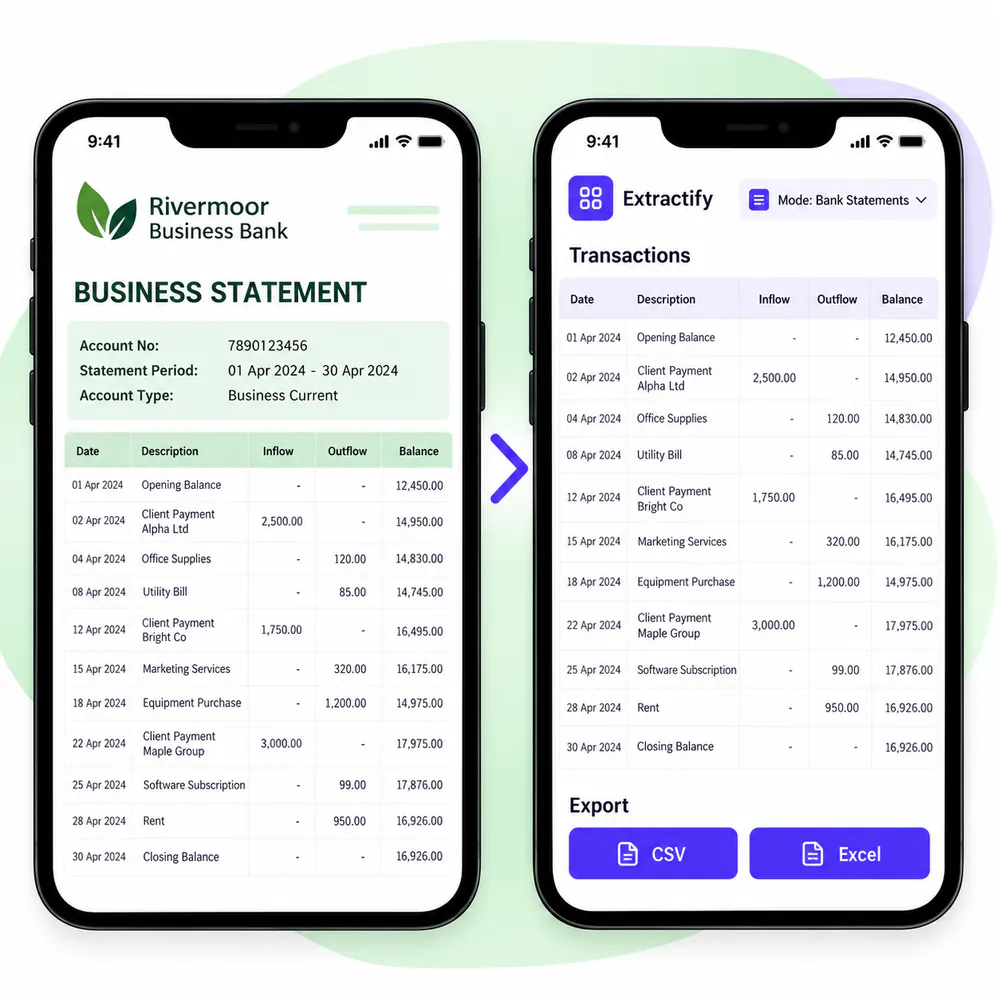
Extract statement details and transaction rows
- ✅Step 3
Review dates, descriptions, and amounts
- ⬇️Step 4
Download the QBO file and import it into QuickBooks
When a QBO bank statement file is useful
QuickBooks users · Bookkeepers · Accountants · Small-business owners · Catch-up bookkeeping teams
A QBO file can help when transactions are only available in a PDF or image and cannot be downloaded directly from the bank. Extractify turns the visible statement rows into a QuickBooks Web Connect file after review.
This is a file-based workflow, not a direct QuickBooks or bank connection. Back up your company file, confirm the account and date range, and review the imported transactions to avoid duplicates.

FAQ
Can I convert a PDF bank statement to QBO?
Yes. Upload the statement, review the extracted transactions, and download a QuickBooks Web Connect file with the .qbo extension.
Does Extractify connect directly to QuickBooks?
No. Extractify creates a QBO file that you download and import into QuickBooks yourself.
Which transaction details are included?
The QBO export uses the extracted transaction dates, descriptions, references, and amounts, together with available account details.
Should I review the transactions before importing?
Yes. Check the dates, descriptions, amounts, account, and statement period before downloading the QBO file.
Can an import create duplicate transactions?
It can if the same date range was already imported or synchronized. Confirm the period and review existing QuickBooks transactions first.
Can I also download Excel or CSV?
Yes. The same reviewed data can be exported as Excel, statement CSV, or transaction CSV.