Convert bank statements to CSV
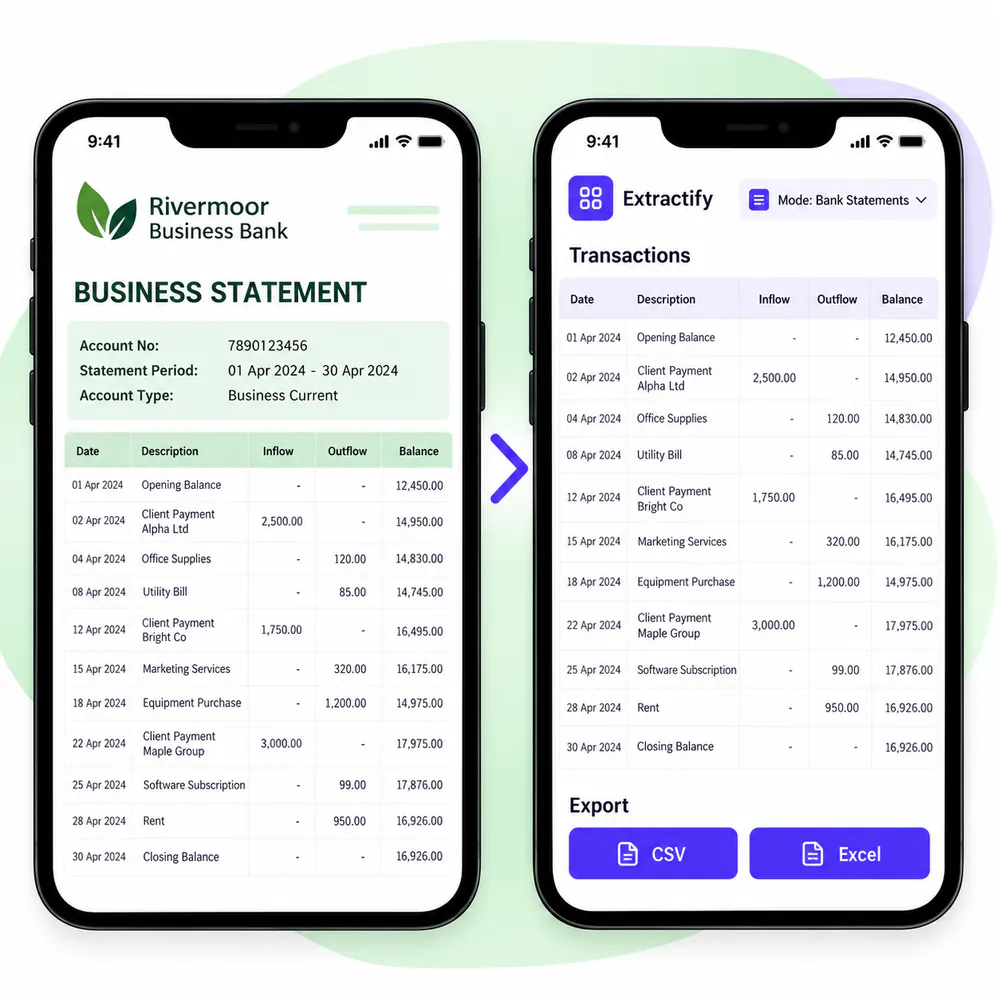
Turn bank statement transactions into clean CSV rows without manual data entry.

What is included in the transaction CSV?
- Transaction date and description
- Reference and transaction type
- Debit and credit amounts
- Signed transaction amount
- Running balance when shown
Review the rows, then download the CSV file you need.

How bank-statement-to-CSV conversion works
- 📄Step 1
Upload statement PDFs, scans, or images
- 🔎Step 2
Extractify reads the statement and separates each transaction
- ✍️Step 3
Check and edit the extracted rows
- ⬇️Step 4
Download the statement summary or transaction CSV
Why convert bank statements to CSV?
Accounting teams · Data analysts · Bookkeepers · Finance operations teams · Software import users
CSV is a simple format for moving bank transactions into spreadsheets, databases, accounting tools, and internal reporting systems. A clean transaction table is easier to filter and import than a multi-page PDF.
Extractify provides separate statement and transaction CSV files. Check the column names and values required by your destination system before importing a large batch.

FAQ
Can I convert a PDF bank statement to CSV?
Yes. Upload the PDF, review the extracted transactions, and download them as a CSV file.
Does each transaction get its own CSV row?
Yes. Each visible transaction is exported as a separate row.
Which CSV files can I download?
You can download a Statements CSV with one row per statement and a Transactions CSV with one row per transaction.
Can Excel and Google Sheets open the CSV?
Yes. Both Excel and Google Sheets can open the exported CSV files.
Can I edit the transactions before export?
Yes. Review and correct the extracted rows before downloading the CSV.
Does the CSV include running balances?
Running balances are included when they are visible on the source statement.