Convert receipts into Excel spreadsheets
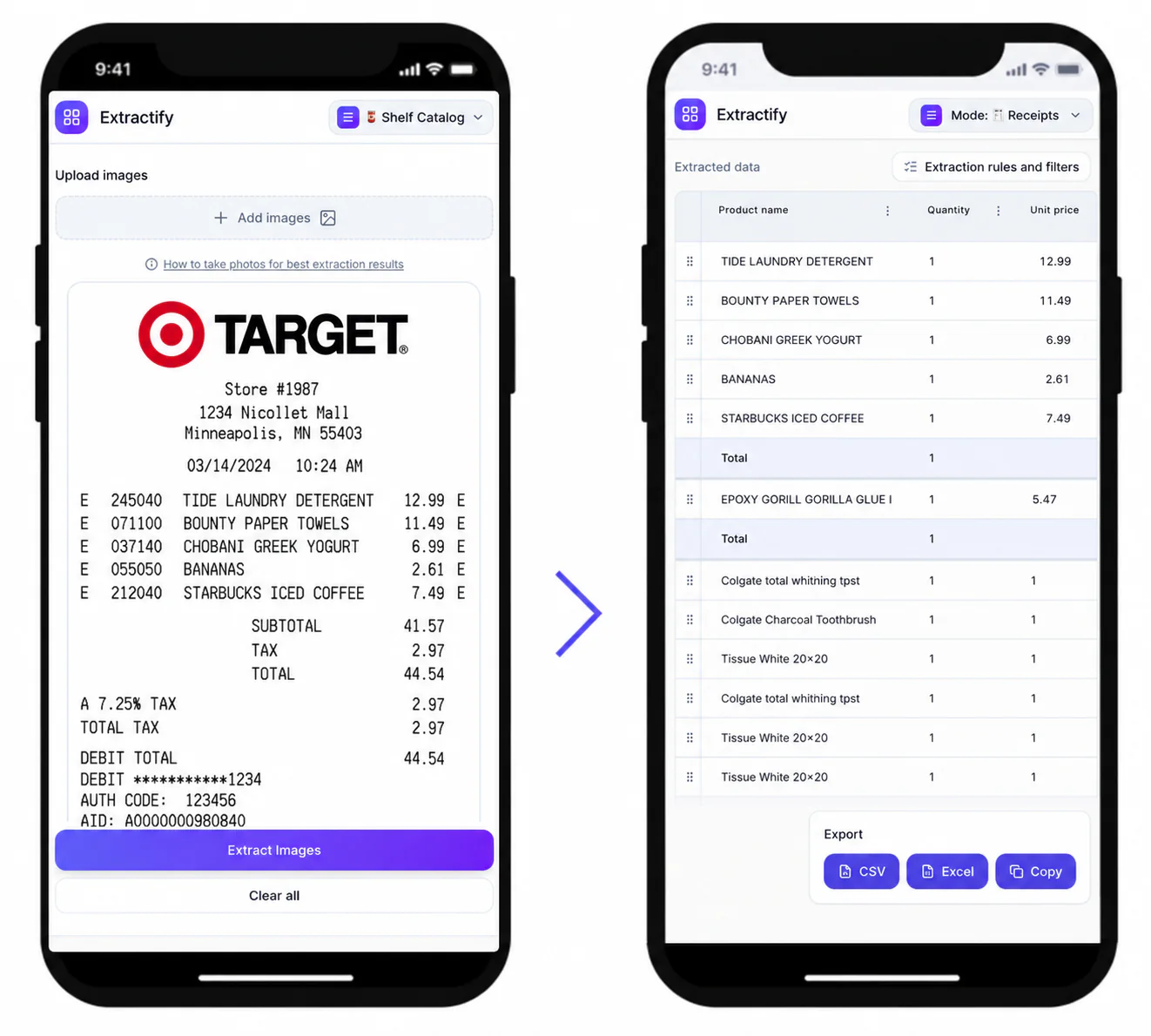
Upload receipt photos, scans, or PDFs and turn the visible purchase details into editable Excel rows—without retyping every item, price, and total.

Build an Excel-ready receipt dataset with:
- One document row for each receipt
- A separate worksheet of purchased line items
- Merchant, purchase date, and receipt number
- Quantity, unit price, and line total
- Discount, tip, service charge, tax, and final total when shown
- Blank cells where the receipt does not provide reliable evidence
Download an XLSX workbook for Excel, or choose document and line-item CSV files for another accounting workflow.

How receipt-to-Excel conversion works
- 📷Step 1
Upload clear receipt photos, scans, or PDF files
- 🔎Step 2
Extractify identifies receipt-level fields and individual purchases
- ✍️Step 3
Check uncertain values and edit the table before download
- 📗Step 4
Export an Excel workbook with Documents and Line items sheets
When an Excel receipt register is useful
Bookkeepers · Small business owners · Expense administrators · Freelancers · Finance teams
An Excel receipt register is useful when you need to sort purchases by supplier, compare totals, prepare expense reports, or pass structured records to an accountant. The workbook keeps receipt summaries separate from product-level detail, so you can work at the level your process requires.
Extraction reduces repetitive typing, but the source receipt remains the authority. Review unclear dates, faded product names, handwritten additions, currencies, discounts, and tax figures before using the workbook for bookkeeping or reimbursement.

FAQ
Can I convert several receipts into one Excel file?
Yes. Upload several receipt images or PDFs in one batch. The exported workbook contains one sheet for receipt-level information and another for individual line items, making it easier to filter or reconcile a group of purchases.
Does the Excel export include receipt line items?
Yes. Descriptions, quantities, unit prices, line totals, and supported tax fields are exported as separate columns when they are visible. Receipt-level discounts or fees are represented without subtracting them twice.
What happens when VAT or tax is not printed?
The tax and net-of-tax fields remain blank rather than treating missing information as zero. This makes the spreadsheet more honest and gives you a clear signal to review the original receipt if tax detail is required.
Can I edit the receipt data before downloading Excel?
Yes. Review the extracted table in the browser and correct merchant names, dates, amounts, categories, or line items before exporting the workbook.
Which Excel sheets are included?
The XLSX export contains a Documents sheet for one-row-per-receipt data and a Line items sheet for purchase-level detail. This avoids repeating every receipt summary field across every product row.
Can Excel open the CSV exports too?
Yes. Excel can open both the receipt-summary CSV and the line-item CSV. Use XLSX when you want both tables in one workbook, and CSV when another system expects a simple flat file.