Convert PDF receipts into editable Excel data
Upload digital receipts or scanned receipt PDFs, extract document summaries and itemized purchases, then download a workbook you can review and reuse.

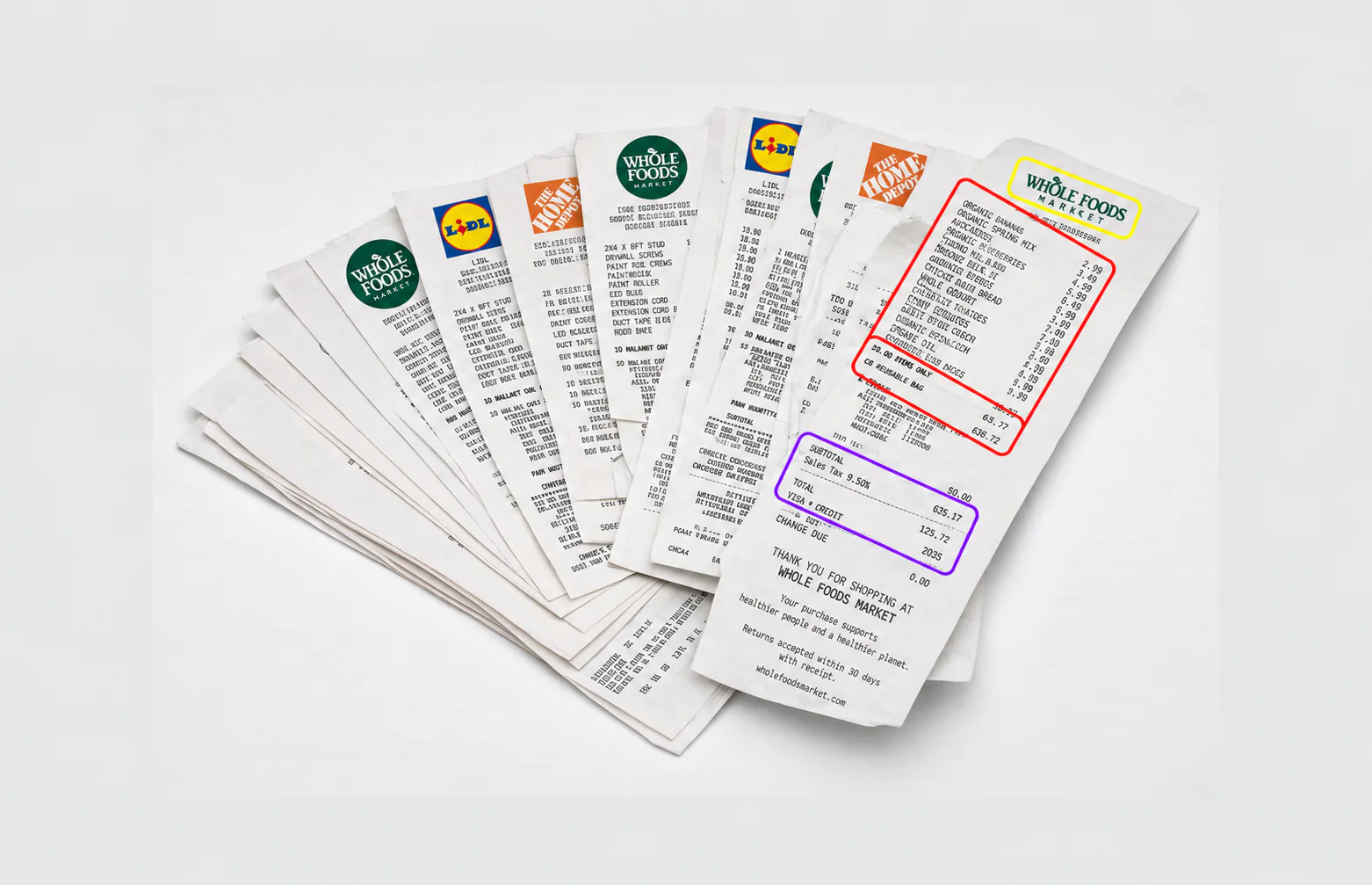
Turn receipt PDFs into two useful table levels:
- Receipt-level supplier, date, number, currency, and total
- Product-level description, quantity, unit price, and line total
- Multiple receipt documents from a PDF batch
- Discount, tip, service charge, and fee fields when visible
- VAT or tax values only when the document supplies evidence
- Source ordering retained for easier review against the PDF
Export both tables in one XLSX workbook or download the individual CSV files.
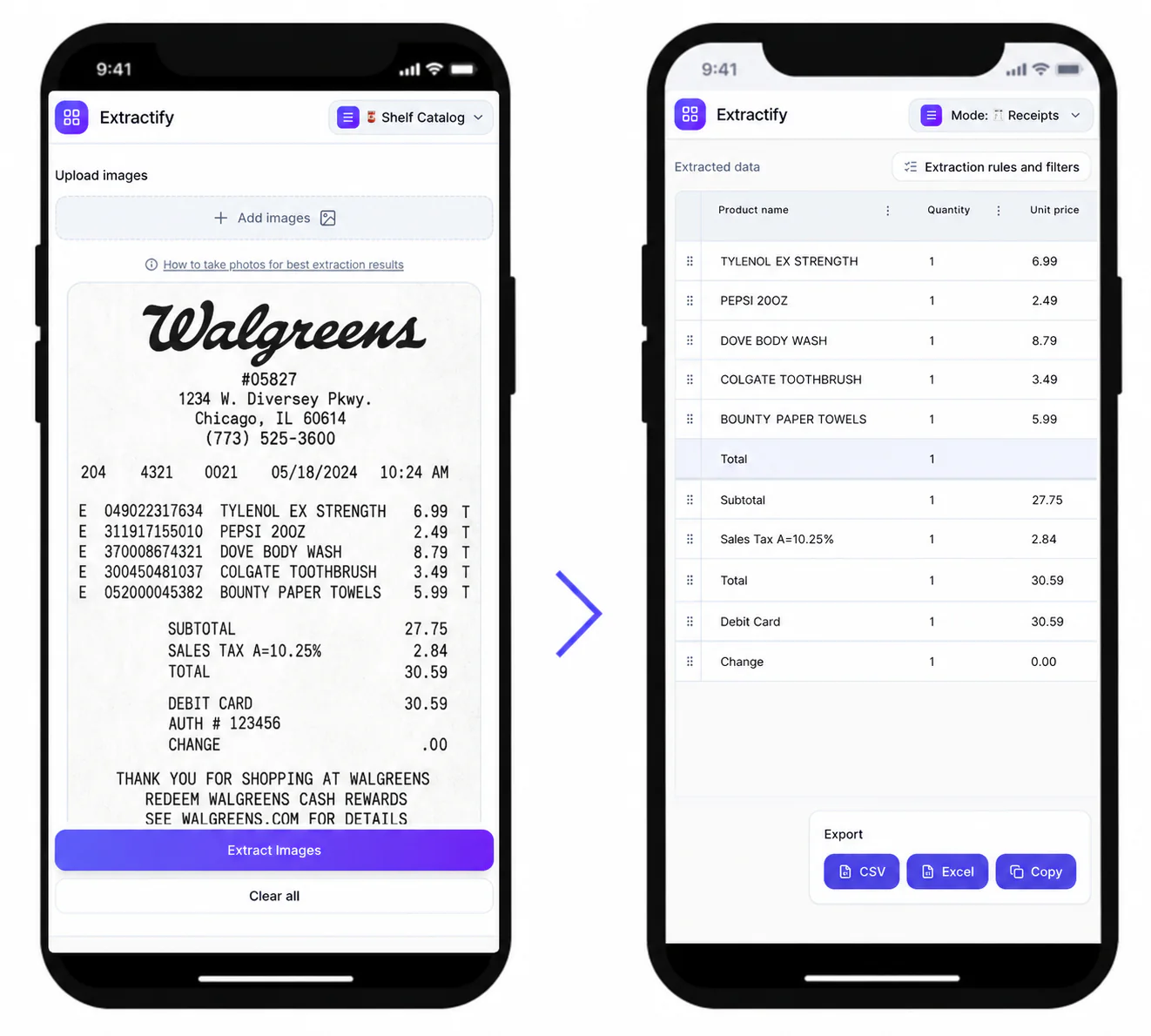
How PDF receipt extraction works
- 📄Step 1
Upload a receipt PDF, scanned PDF, or a mixed batch with images
- 🧠Step 2
Extractify reads visible receipt fields and itemized purchases
- ✅Step 3
Review the results against the original document pages
- 📊Step 4
Download Excel or CSV files for reconciliation and reporting
When receipts arrive as PDFs
Accounts teams · Bookkeepers · Procurement teams · Online shoppers · Expense administrators
Email receipts, point-of-sale exports, expense-report attachments, and scanned paper receipts often arrive as PDFs. Even when text can be selected, copying it rarely produces clean columns or preserves the relationship between an item and its price.
The PDF workflow extracts the visible receipt structure into editable tables. Review page boundaries, duplicated scans, faint totals, and receipts split across pages before exporting. If a PDF contains unrelated pages, remove them or upload only the receipt pages for a cleaner result.

FAQ
Can I convert a scanned receipt PDF to Excel?
Yes. Scanned PDFs can be processed from their visible page images. Results depend on scan resolution, contrast, page rotation, and whether the complete receipt is visible.
Can one PDF contain several receipts?
Yes. Extractify can process multiple receipt pages in one upload and keeps detected receipts as separate documents. Review the result if several receipts appear on the same page or one receipt spans multiple pages.
What is included in the Excel workbook?
The workbook contains a Documents sheet for receipt summaries and a Line items sheet for individual purchases. Both are editable in Excel after download.
Does the converter preserve the PDF layout?
No. The goal is structured data rather than a visual copy of the PDF. Fields and purchases are organized into rows and columns for sorting, filtering, and downstream use.
Can I upload PDF receipts and photos together?
Yes. A batch can contain supported receipt images and PDFs. Check that each source is legible and that repeated pages are not uploaded twice.
Why might a PDF receipt need manual review?
Low-resolution scans, rotated pages, password-protected files, overlapping receipts, handwritten notes, or totals on a separate page can make extraction ambiguous. The editable review table lets you correct those cases before export.